Live speech in braille.
Dotify transcribes speech in the room and sends the text to a refreshable braille display. The reader sets the reading speed and how the text scrolls. Dotify is developed with Deafblind braille readers.
Decorative animation: braille cells spell “this line is streaming in braille” and move across the page one cell at a time.
Who it’s for.
Dotify is for Deafblind people who read braille. It provides live captions of nearby speech on a refreshable braille display, for use in conversations, appointments, and meetings. The display connects over USB or Bluetooth, and text appears in uncontracted or contracted UEB.
Features.
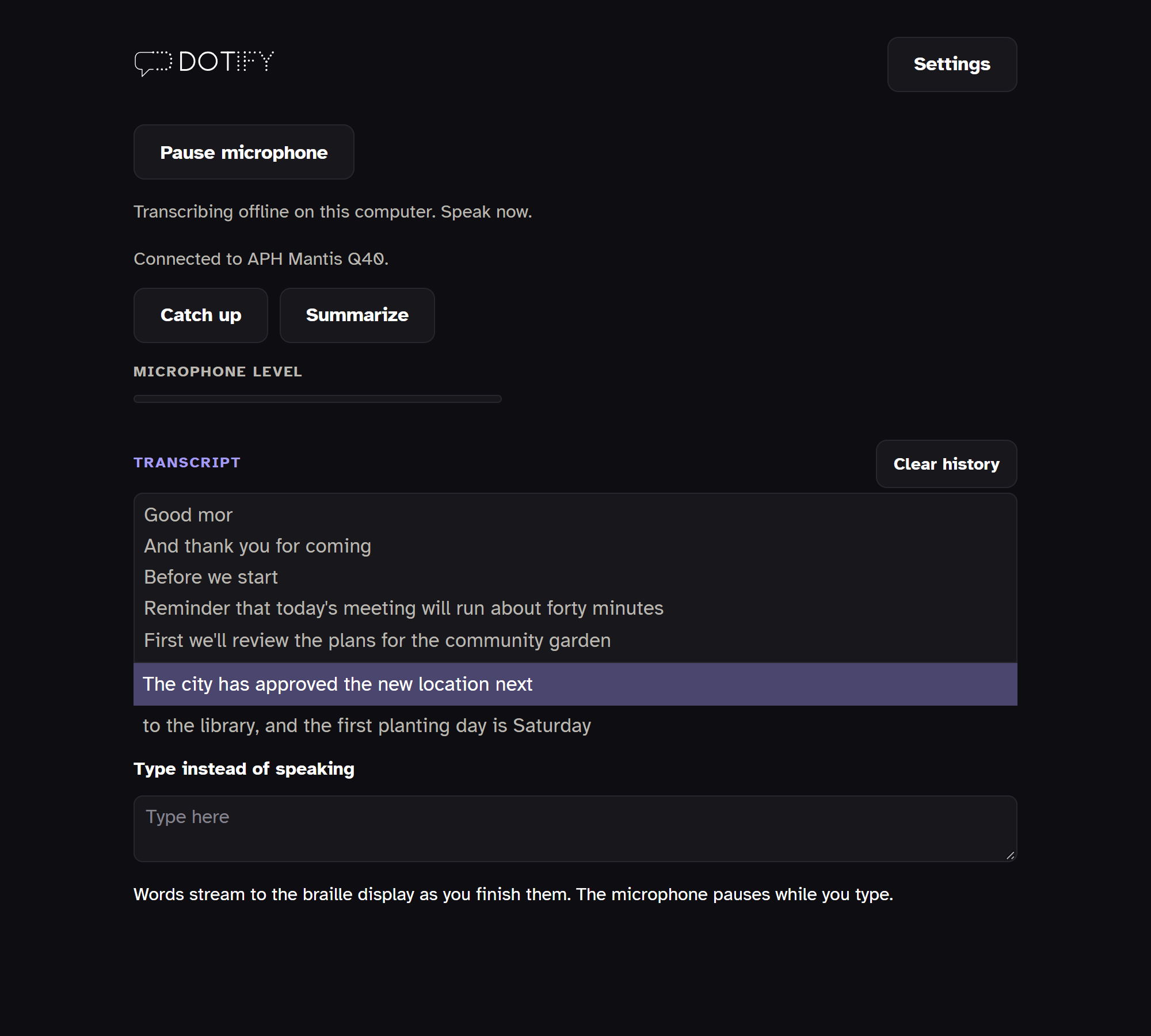
Transcription
Speech is transcribed with speech recognition models from ElevenLabs, AssemblyAI, and Nvidia. Accuracy is highest in a quiet room with one speaker.
Reading controls
Text scrolls at a reading speed you set. You can change the speed, pause, rewind, and fast forward. There are three scroll modes: auto scroll advances the text automatically, manual advance moves forward when you press a panning key, and ticker tape moves the text one cell at a time under your fingers.
Backlog gauge
When speech arrives faster than you read, the unread words form a backlog. The leftmost cell of the display shows its size. An empty cell means there is no backlog. Dots fill in as the backlog grows, and a full cell means 100 or more unread words.
Catching up
You can replace a long backlog with a short summary of what was said, or jump to the most recent speech with one button on the braille display.
Download.
Dotify is free and open source under the Apache 2.0 license. It runs on Windows 11, with a USB or Bluetooth braille display.
Dotify is not a replacement for professional human captioning (CART) or interpreting. Speech recognition makes mistakes, especially with names, accents, crosstalk, and background noise. For medical, legal, educational, and other important conversations, use a professional captioner or interpreter.
The installer isn’t code-signed, so Windows SmartScreen may say “Windows protected your PC” with only a Don’t run button. Choose the More info link, then the Run anyway button that appears.
Before you start Dotify, turn off your screen reader’s braille so Dotify can use the display. Your screen reader keeps speaking. In NVDA, set the braille display to No braille. In JAWS, set it to No Display in Settings Center. In Narrator, turn off braille.
Speech recognition works offline after a one-time download of about 650 MB. Cloud models from ElevenLabs, AssemblyAI, Deepgram, and OpenAI are optional and use your own API key. On Linux, Dotify runs from the source code.
Acknowledgements.
Dotify would not exist without the people who shared their time, their lived expertise, and their candid feedback with me. Thank you to David Madey, Haben Girma, Gordon Byrnes, Lucy Greco, Victor Tsaran, Christopher Kchao, Scott Davert, Mark Baxter, Robert Stigile, Maurice Mines, and Ania Filochowska. They tried early versions, told me what worked and what didn’t, and taught me what Deafblind people actually need from live captions in braille. I’m grateful for their generosity.
Feedback.
Feedback is welcome at bhavya@dotifylabs.com.